Blog
Your Robots Should Outlive You
Originally posted on the MIT CSAIL Substack.
A humanoid robotics company recently earned some press coverage by having their old models backflip to their molten demise. On the one hand, effective marketing. Marketing is valuable. On the other, what a waste. Of materials, but also of the entire embodied effort to build and maintain those robots. It was multiple people’s jobs to design and program those things. What does it feel like for the most valuable use of your robot to be creating slag for internet points?
Think about the next few years; there are a lot of humanoid companies, and a lot of engineers working on new robots. Many of these companies are not going to survive. Lots of robots are being manufactured that could last for years, but will probably become useless a couple of months after their makers close shop. If you’re an engineer working on one of these, you should be nervous. You probably won’t get to watch your CEO shove robots off the back of a plane as they explain that this is the best way to protect intellectual property, because the company jet and the robots are going to be in liquidation.
How do we make sure those robots have long, useful lives? Here’s what you do, in order of effort:
-
Plan to let robot owners teleoperate their robots, from the start. Even with no further access, being able to control the robot opens up applications that could be valuable to someone out there. Would the economics of my haunted house concept, staffed completely by me remotely controlling decommissioned humanoids, work out at today’s prices? No. But you can imagine how that kind of adaptive reuse sets a value floor that’s higher than scrap pricing.
-
Plan for your robot to run developer code from the start. I understand that customers want ROI, not APIs. But if the platforms need to be repurposed, the first problem will be that no one else can program them for another purpose. Historically, the market for robot development platforms was the small set of universities and research groups that might buy one, and then break it in weird and annoying-to-support ways. Now though, there is a wider world of potential customers who can’t build leading-edge robot hardware, but might be able to make a business on top of such hardware (or are willing to pay to try). A couple dozen of your robots might let a startup test their idea much faster, provided they can get the right software hooks in.
-
Allow owners to root their robots, top to bottom. Plenty of robots are going to rely on cloud software somewhere, which means the thing might not even turn on a couple months after someone stops paying the AWS bills. There must be a way to get complete low-level access. Put it behind an extremely scary manual procedure if you must, perhaps involving jumpering connections deep in the robot’s bowels. Make it wipe the filesystem, except for
gasp.wavwhich’ll play when it gets powered back up. As long as all of the motor buses are there, and all the peripheral MCUs can still be re-flashed, someone will figure it out. The internet got the Linux kernel running Apple Silicon-powered Macs, and all those do is read email. They’ll have the robot dancing again in a year or two. -
Standardize actuators. The dozens of actuators in a basic humanoid are the bulk of the cost, and most of what someone might want to repurpose. Intense design pressures mean these are custom-designed and manufactured to suit particular robots. This is necessary, for now, but also a big obstacle for repurposing them for anything else. You can’t string together motors from two different manufacturers’ robots because power delivery and communications won’t be the same. Standardization will happen eventually, but maybe it could happen a little faster if, say, one or two market leaders made a point of picking a common protocol or even supplying their actuators to other companies.
Should none of the above pan out, but you’d like your robot to end up with people who may still be able to get value from it, you can find the freight address for MIT CSAIL here (weekday delivery only, please).
And if they do pan out, we will gladly accept a robot as a token of thanks.
Papers on Asking Better Questions in Reward Learning at RSS and CoRL
When people teach robots by demonstration, they usually can’t pay attention to everything at once. Instead of just squeezing the human for more demos to wash this out, what if we could ask for targeted demos or preferences?
We wrote a couple papers on how to do this over the past year, led by Helena Merker. I’ll be at CoRL in Austin this November for the latest. Let’s run and/or get breakfast tacos.
The North Point Half Marathon: Boston's Newest Half Marathon

The course: the circular island in North Point Park. (Cambridge Orthophoto 2021)
Reprising the now-familiar and widely beloved bottle-marathon format, I hosted the first North Point Half Marathon. The course is 119 laps of the island in North Point Park. It just so happens that the island is technically within the city of Boston, though the park entrance is in Cambridge. Looking forward to the marathon in years to come.
Started a Postdoc at MIT
I’ve joined MIT CSAIL as a postdoc in Andreea Bobu’s CLEAR Lab. I’ll be helping robots that learn from people communicate what they’re uncertain about, so the people teaching them can see where their input is needed.
Light Rail Relay 2025 Draws 14 Teams and Four Solo Finishers
For my last run as a Seattleite, I got to run the length of the 1 Line one last time. There is no better way to say goodbye to the whole city at once.
Even better was sharing the corridor with 14 teams and four solo runners for our biggest Light Rail Relay yet. Ahead of the race, Sara Morimoto wrote an op-ed in The Urbanist capturing the ethos:
“…an event that encourages participants to explore unfamiliar pockets of the city, make new friends, and do something together that they probably wouldn’t do alone… celebrate[ing] navigating the city without a car.”
An event this big only works because of the community behind it. Huge thanks to Zach Tatlock for taking over baton manufacturing, Margaret Li for steering the club through its scheduling puzzle, James Yoo for start line logistics, and all the team captains and runners who showed up.
A Sticky Note Hack for Finishing Things
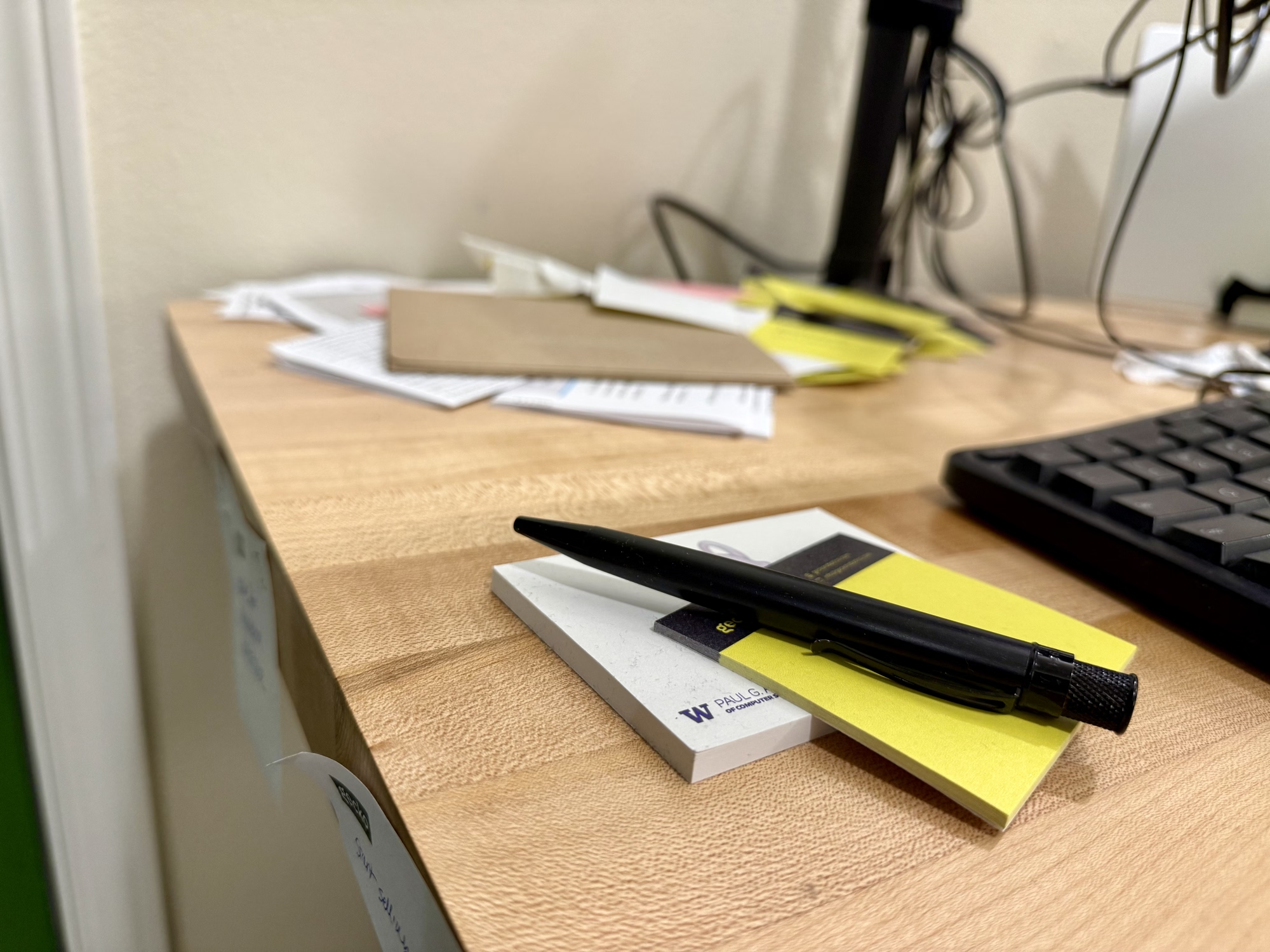
My end-of-PhD sticky note pile.
There’ve been many moments over the past few months when I’ve felt haunted by the things I would rather be doing. An idea floats by—something that in a normal time I’d read about that night, or spend a Saturday making—but that found me totally occupied. I tried batting them away at first, but they’d come back. It was distracting and kind of distressing. It felt like they were my subconscious forcing me to consider that, if I couldn’t engage with what my mind actually thought was interesting, maybe I was doing something wrong.
Then I realized that they were only coming back because they didn’t want to be forgotten. So I started writing them down, as soon as they’d arrive, one to a sticky note. And they stopped coming back. I got a quiet my mind and a physical manifestation of what I was working toward. There’s probably a post about this idea somewhere on 43folders, but I’m writing this anyway in case it finds someone else with the same problem.
At this point I don’t remember much of what’s in the pile (it’s about a pad and a half, plus some mail I didn’t have the bandwidth the deal with), and I’ve spent my first couple unoccupied days cleaning my apartment instead of looking through them. But it worked. I’m here, and they’re there, ready for tomorrow.